Map your farm
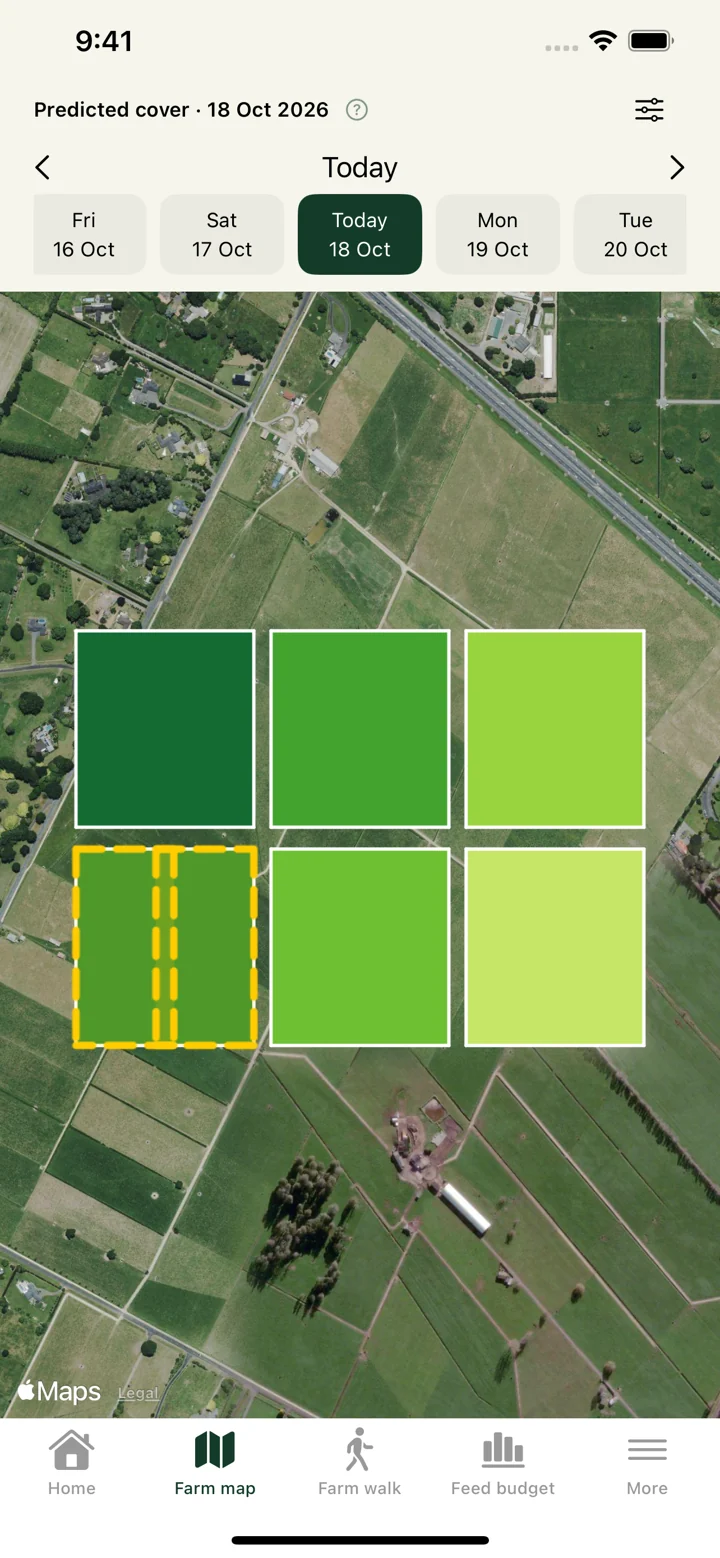
Draw paddocks and grazing breaks on satellite imagery. Add troughs, exclude unusable ground and keep your boundaries in one place.
 PASTUREFARM & FEED
A clearer view of your farm
Your paddocks, pasture covers and feed plans, together. Pasture helps you see what’s ready to graze, plan for your herds and keep everyone working from the same information.
On Android. In your browser. iPhone coming soon.
From the farm walk to the next feed
Spend less time piecing information together. Keep the map, measurements, herd needs and daily records connected.
Draw paddocks and grazing breaks on satellite imagery. Add troughs, exclude unusable ground and keep your boundaries in one place.
Record covers as you walk, track individual paddock growth and see which paddocks have been measured today.
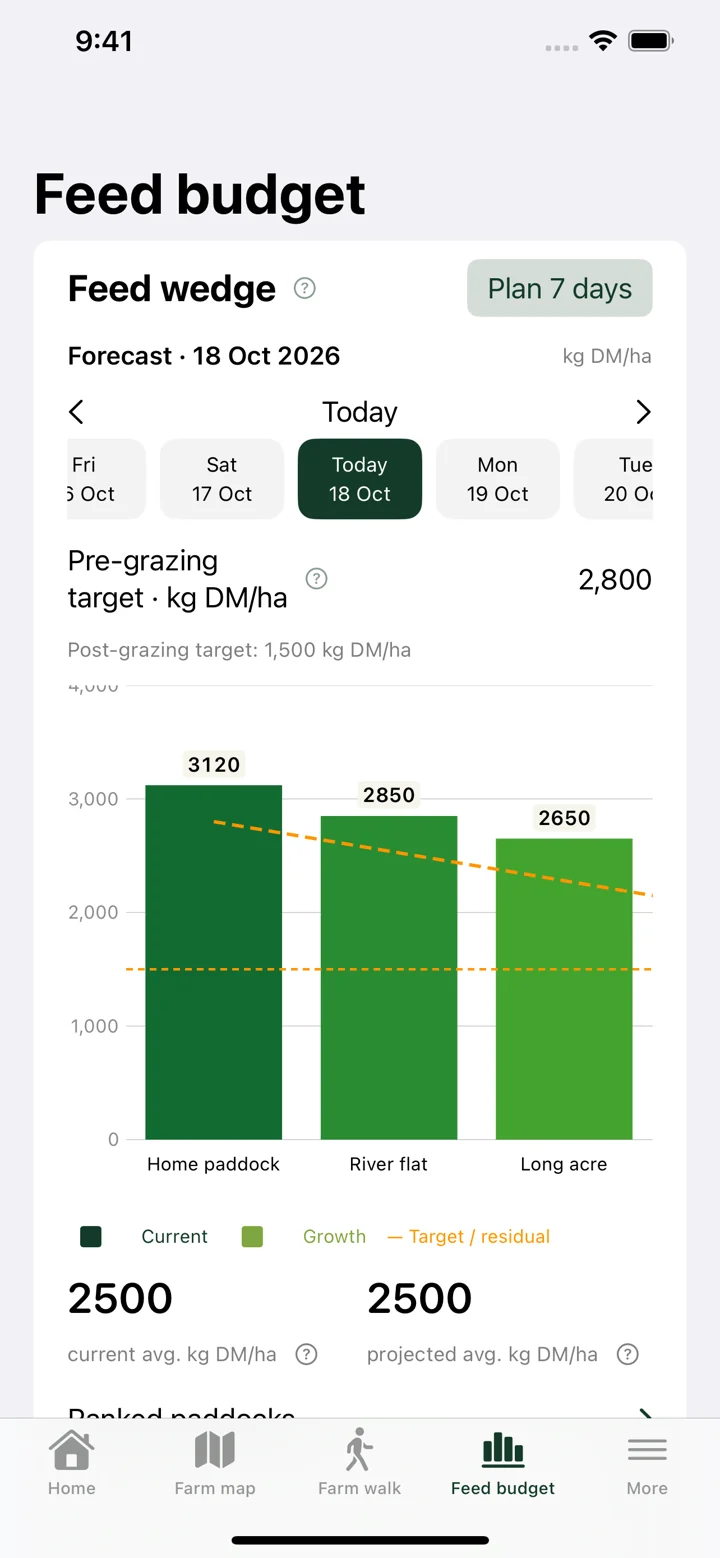
Use the feed wedge, dated cover predictions and herd allocations to plan AM and PM grazing with the grass available.
Track PK and silage deliveries, record daily feeding and estimate when your feed stores will run out.
Bring farm events, tasks, livestock and animal-health records into the same workspace, with reports to look back on.
Share farms with your team, or send contractors a private job link with assigned paddocks, instructions and GPS locations.
A look inside Pasture
Screenshots from the iPhone app, using example farm data. Tap a screenshot for a closer look.
Paddocks, grazing breaks and pasture cover, all in view.
Compare covers and targets on your feed wedge.
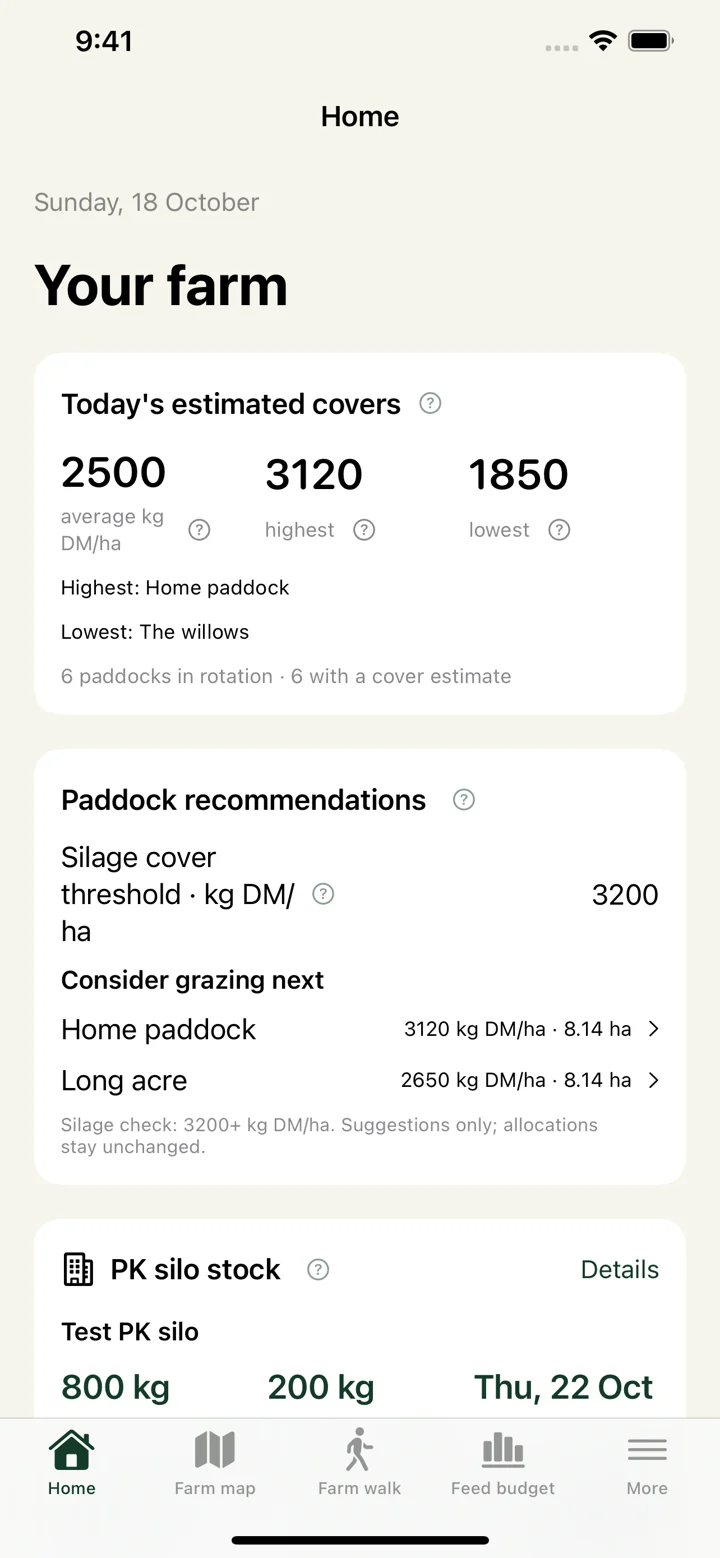
See covers, paddock suggestions and supplement stock.
The right information, shared
Work from the same farm records across devices. Give your team farm access, and give contractors the job information they need.
Start with your farmSelect paddocks, add GPS pins or water lines and set the job end date. Contractors get the full farm map with details only for their assigned job.
No account needed to open a private job link. Links can be forwarded to workers, expire with the job and can be revoked early by the farm owner.
Getting started
Open the web app and create an account, or log in with your existing account. Create a farm to begin, or open the private invitation from your farm owner. New accounts agree to the Terms and Privacy Notice once, then verify their sign-in by email code.
Yes. Get the Android app on Google Play using the download link above, or use the web app in a browser on your phone, tablet or computer.
The iOS app is still in development and is coming soon to the App Store. In the meantime, you can use the web app on your iPhone. Existing TestFlight testers can continue using TestFlight.
Farm records are shared with the people who have access to your farm. Contractor job links share the full farm map and selected job details with anyone holding the link, until the farm owner revokes access. The screenshots on this page use example farm data.
They can open a private job link without an account, or sign in to save their assigned jobs and use contractor mode in the app.
Bring the farm into focus
Start a farm, join your team or pick up where you left off.