
Record pasture cover by paddock
A farm walk provides a dated observation of the feed standing in each paddock. Enter cover in kilograms of dry matter per hectare (kg DM/ha), using your usual measurement method and judgement. Pasture records the figure; it does not replace your plate meter, field observation or assessment method.
Work through your paddocks and check which have been measured today. Keeping readings against the correct paddock makes later comparisons more useful than a loose list of figures without names or dates.
Review growth between actual measurements
Repeated measurements help you see how individual paddocks change over time. Check measurement dates, grazing events and other changes before interpreting an apparent increase or drop as grass growth.
Between farm walks, use the selected prediction method to estimate covers for planning dates. Keep predicted covers distinct from new readings: a forecast can help you plan, but a new farm walk lets you check what is actually there. Pasture’s prediction-match view compares predictions with recorded measurements where sufficient information is available.
Use the walk in your feed wedge and grazing plan
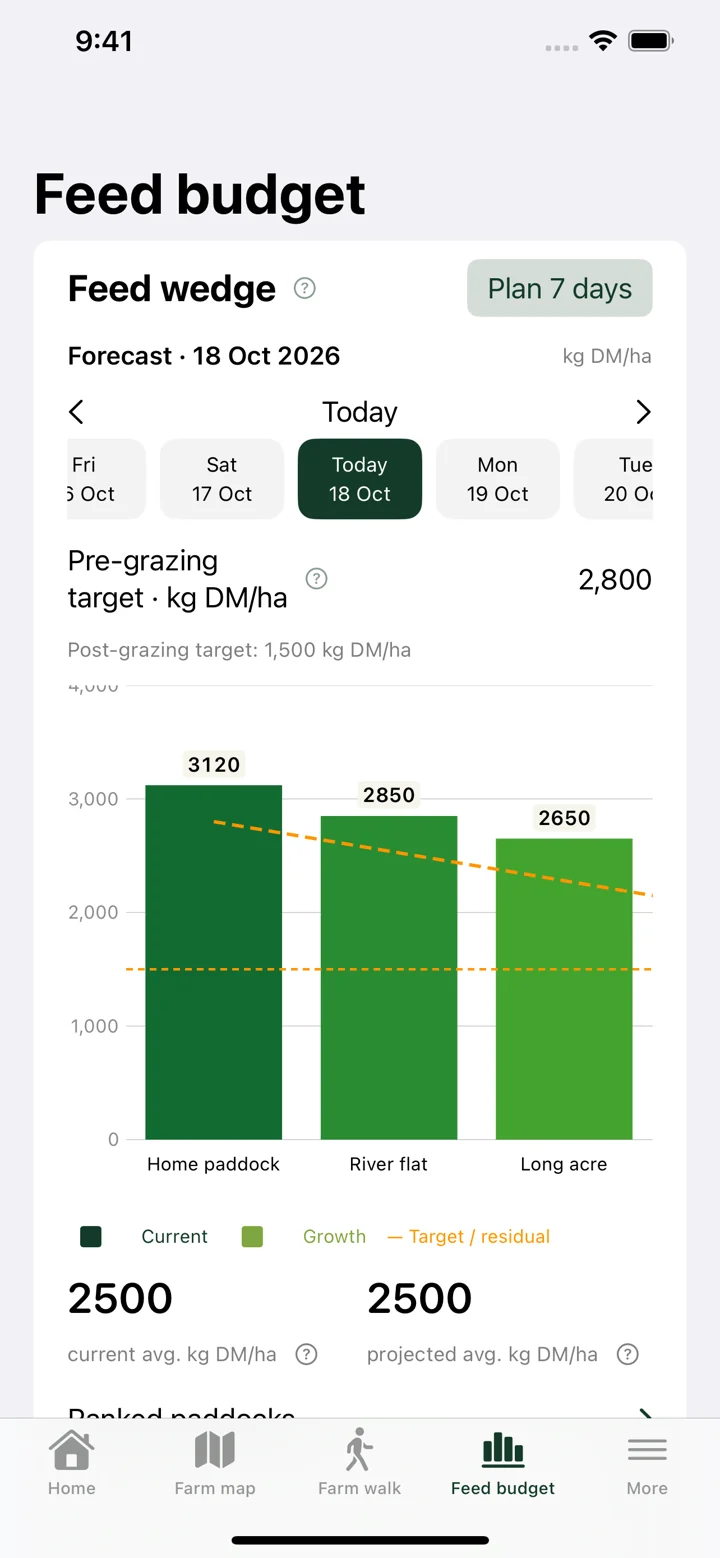
After recording a walk, review the feed wedge to compare paddocks and grazing targets. Look at paddock area, herd demand and supplements alongside cover when choosing an allocation. A high cover by itself does not establish pasture quality or grazing readiness.
Your records stay attached to the farm account, making it easier for permitted team members to work from the same measurements across devices. Check that changes have synced before relying on a different device’s copy.
Getting started
- Open the farm walk for the farm and check the measurement date.
- Enter actual pasture cover readings against the right paddocks.
- Review the completed measurements and allow them to sync.
- Compare the resulting feed wedge with herd requirements and plan the next grazing.