See your pasture position across the farm
A list of cover readings is useful; a map and feed wedge put those readings into context. Pasture shows paddock boundaries alongside pasture covers so you can look across the farm, then open an individual paddock to inspect its measurements, area and grazing information.
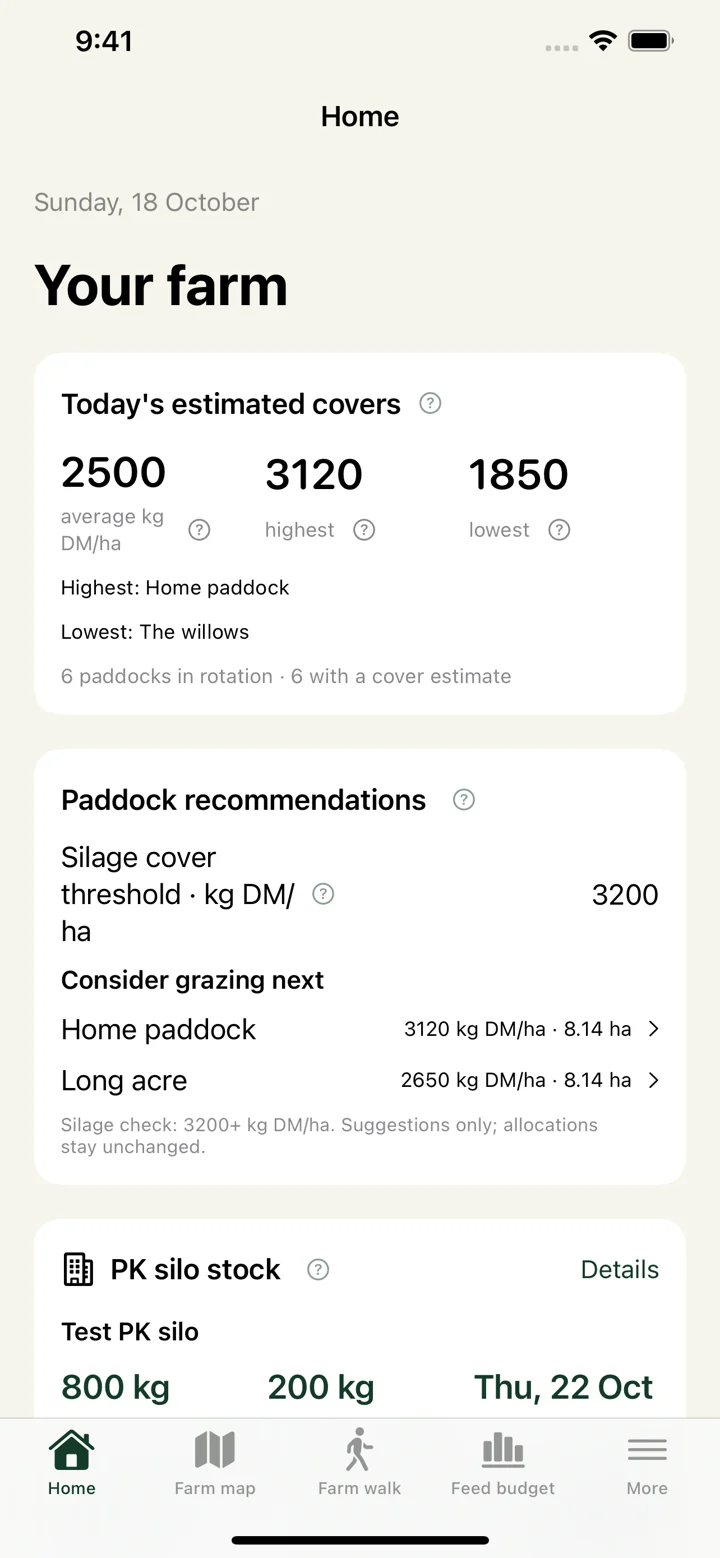
Use the dashboard to review estimated covers and paddock suggestions. A suggestion is a starting point for your judgement: check pasture quality, ground conditions and the practical route for your stock before deciding where to graze.
Keep measurements and predictions distinct
Record actual pasture cover measurements during a farm walk. Dated grass growth predictions help you look ahead between walks, using the prediction method you select. A prediction is an estimate rather than a fresh measurement; regular walks let you check how closely it matches the farm.
Satellite imagery is the background for the farm map. The standard app does not turn that imagery into a new measured pasture cover. Enter your farm-walk readings to keep planning grounded in observations.
Connect pasture supply with herd demand
Set up herds and feed requirements, then use the feed wedge, grazing breaks and supplement records to plan the next feeds. PK silo and feed-store records help you track deliveries and estimated use alongside pasture demand.
The same farm information can be used on Android, in a web browser or in the iOS TestFlight beta. Farm owners can invite their team to a specific farm. Shared access and paid features depend on the farm’s subscription; check the plan screen before choosing a plan.
Getting started
- Create an account and a farm, or accept an invitation to an existing farm.
- Draw or import your paddock boundaries, then check their names and areas.
- Enter a farm walk and set up your herds and feed requirements.
- Review the map and feed wedge, plan grazing and keep measurements up to date.