
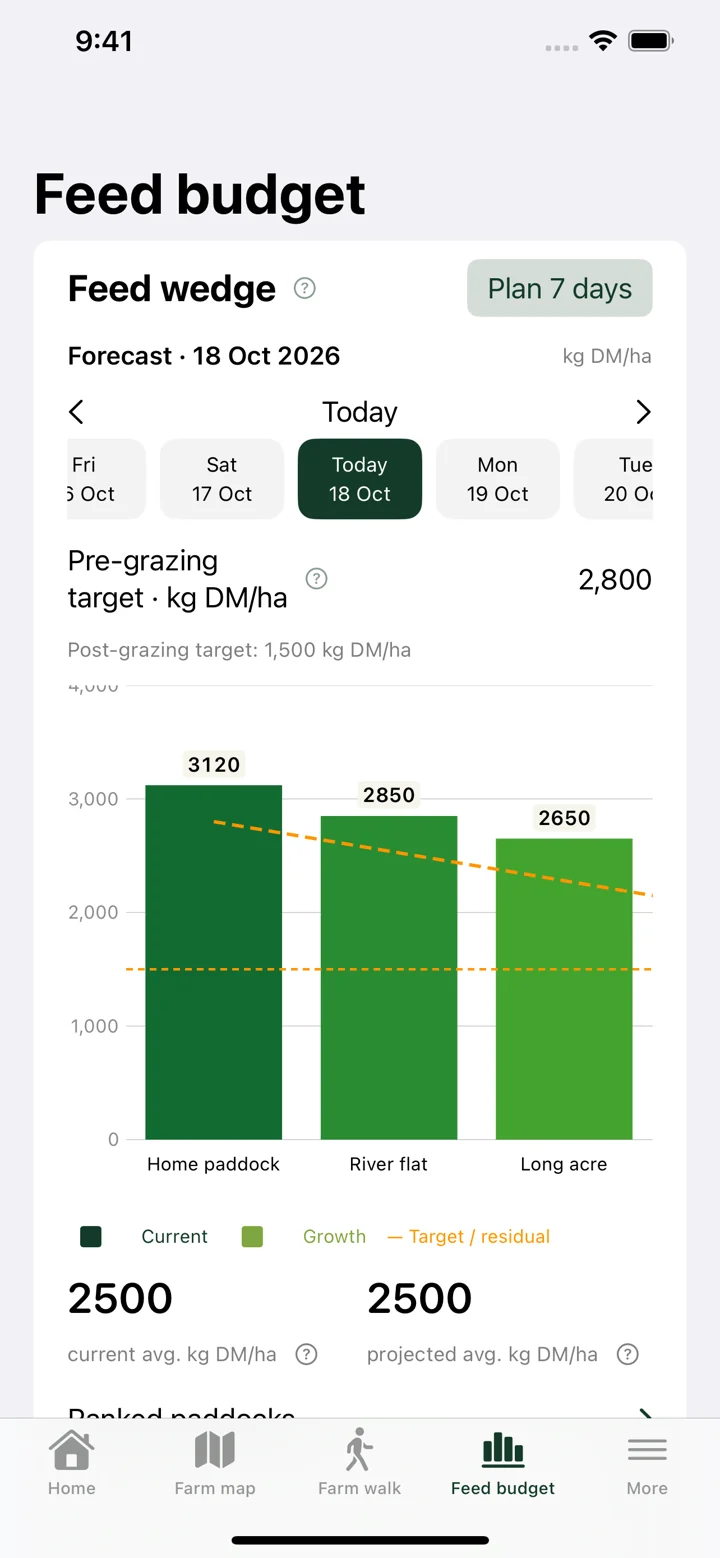
Read the feed wedge alongside your grazing targets
A feed wedge orders paddocks by pasture cover, helping you compare the farm’s feed position with the targets you are working towards. Pasture shows paddock covers with pre-grazing and post-grazing residual targets.
Check the date and prediction method when looking ahead. A wedge based on predicted covers is an estimate for that date, while a fresh farm walk supplies actual measured readings. Review area, quality and recent management as well as the height of a bar.
Plan AM and PM grazing allocations
Set up herds and their feed requirements, then plan grazing breaks for the appropriate day and feed. Paddock area and available cover help you judge how much pasture an allocation can provide above the residual you intend to leave.
Keep grazed and remaining areas in mind when reviewing a partly grazed paddock. Mark completed grazing and enter fresh readings when needed so future plans are not based on an out-of-date picture. Plans should be checked against practical fencing, stock movements and ground conditions.
Bring supplements into the feed discussion
Herd feed requirements and supplements belong beside the pasture plan. Pasture includes PK silo and feed-store records for deliveries, usage and estimated remaining stock. These give context when you are considering how pasture supply matches herd demand.
Use the figures to review options, not as an automatic instruction to feed a particular ration. Dry matter content, actual feeding, pasture quality and animal needs all matter. Keep delivery and feeding records current and check estimated stock against the physical store.
Getting started
- Record current paddock covers and review your farm’s grazing targets.
- Set up herd numbers, feed requirements and supplements.
- Use the feed wedge to compare paddocks and plan the next AM or PM allocations.
- Record grazing and feed-store changes, then review the following feeds.